> ## Documentation Index
> Fetch the complete documentation index at: https://docs.equinoxroleplay.com/llms.txt
> Use this file to discover all available pages before exploring further.
# Chop Shop
> Learn how vehicle chopping works in Equinox, including required tools, Auto Parts, vehicle contracts, tracking, and Chop Shop rewards.
**Steal it. Strip it. Get paid.**
The Chop Shop lets you dismantle vehicles in exchange for **Auto Parts**, which can then be traded for a rotating selection of useful items and exclusive rewards.
Unlike some criminal activities, you're not being handed an exact vehicle location.
You'll receive a **vehicle type**, then it's up to you to find one somewhere in the city.
### The Basic Loop
**Find the Chop Man → Request a Vehicle → Locate It → Steal It → Deliver It → Strip It → Earn Auto Parts**
***
# Your Personal Vehicle Can Be Selected
Be careful what you're driving around.
Your **personally owned vehicle can be eligible for a Chop Shop contract**.
### Personal Vehicles Can Be Chopped
If your personal vehicle is chopped, the vehicle itself is not permanently deleted.
A backup is saved so the vehicle can be recovered by paying the appropriate **insurance deductible**.
If you do not maintain vehicle insurance, an alternative reimbursement option may be available through the Equinox Tebex Store.
This means a Chop Shop vehicle isn't automatically safe just because another player owns it.
If it's the requested model, it may be on the chopping block.
***
# What Do I Need?
You'll want the proper tools before starting.
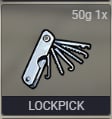
A **Lockpick** is used to gain access to vehicles you don't have keys for.
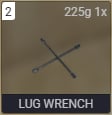
 The **Lug Wrench** is one of the tools used while dismantling the vehicle.
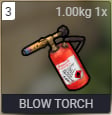
 The **Blowtorch** is also required during the vehicle dismantling process.
 ### Come Prepared
Before heading out, make sure you have access to:
* **Lockpick**
* **Lug Wrench**
* **Blowtorch**
Finding the right car won't do you much good if you can't steal or dismantle it.
***
# What Do I Get?
Successful Chop Shop jobs reward:
## Auto Parts
### Come Prepared
Before heading out, make sure you have access to:
* **Lockpick**
* **Lug Wrench**
* **Blowtorch**
Finding the right car won't do you much good if you can't steal or dismantle it.
***
# What Do I Get?
Successful Chop Shop jobs reward:
## Auto Parts
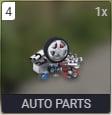 Auto Parts are the main currency used within the Chop Shop reward system.
### Auto Parts Have No Weight
Auto Parts do **not consume inventory weight**.
Some Chop Shop rewards require a significant number of parts, so you won't have to sacrifice inventory space just to save toward something valuable.
***
# What Can Auto Parts Buy?
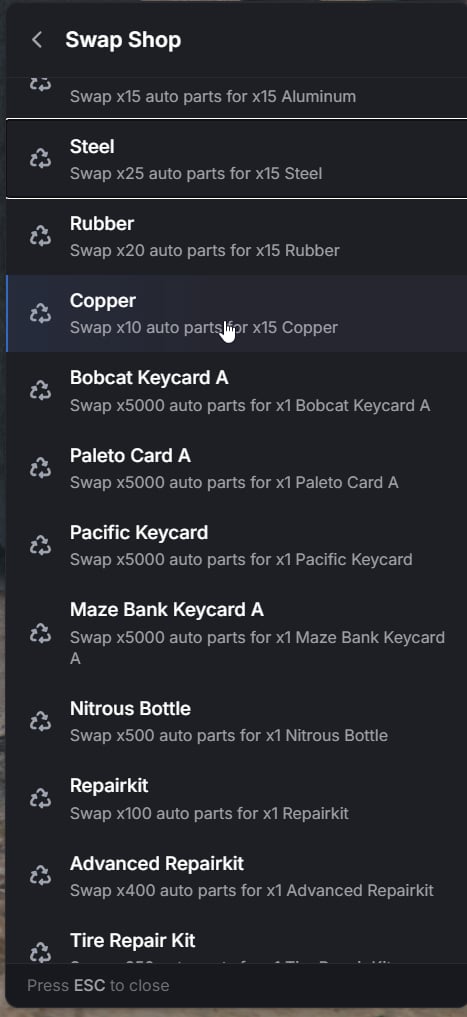
Auto Parts can be exchanged for a variety of items through the Chop Shop.
The available rewards are **not always the same**.
The selection changes randomly, meaning it's worth checking back to see what's currently available.
Auto Parts are the main currency used within the Chop Shop reward system.
### Auto Parts Have No Weight
Auto Parts do **not consume inventory weight**.
Some Chop Shop rewards require a significant number of parts, so you won't have to sacrifice inventory space just to save toward something valuable.
***
# What Can Auto Parts Buy?
Auto Parts can be exchanged for a variety of items through the Chop Shop.
The available rewards are **not always the same**.
The selection changes randomly, meaning it's worth checking back to see what's currently available.
 ### Check the Entire Reward List
The reward menu can contain more items than are immediately visible.
**Scroll down** before deciding there's nothing you want.
Because the inventory rotates, saving your Auto Parts can sometimes be more valuable than immediately spending them.
***
# Getting Started
Your first objective is finding the man running the operation.
We'll give you the general area.
You'll have to handle the rest.
### Location Hint
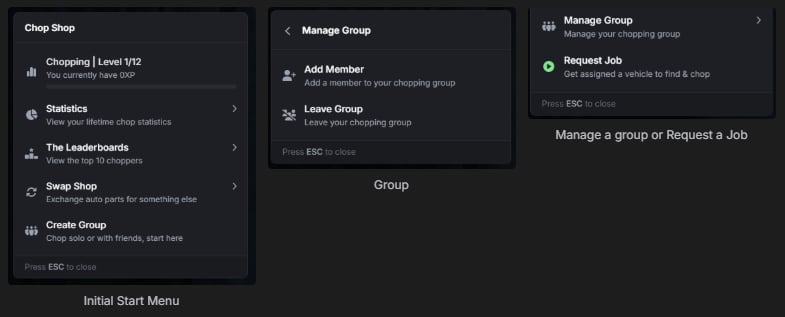
The **Chop Man** can be found somewhere around the **Sandy Shores area**.
Once you find him, have a conversation and request a Chop Shop job.
### Check the Entire Reward List
The reward menu can contain more items than are immediately visible.
**Scroll down** before deciding there's nothing you want.
Because the inventory rotates, saving your Auto Parts can sometimes be more valuable than immediately spending them.
***
# Getting Started
Your first objective is finding the man running the operation.
We'll give you the general area.
You'll have to handle the rest.
### Location Hint
The **Chop Man** can be found somewhere around the **Sandy Shores area**.
Once you find him, have a conversation and request a Chop Shop job.
 ***
# Request a Vehicle
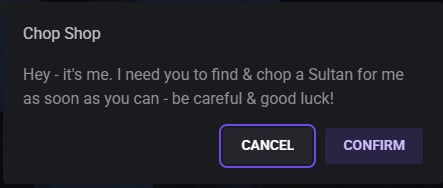
When you accept a job, you'll be told which **vehicle model** the Chop Shop wants.
***
# Request a Vehicle
When you accept a job, you'll be told which **vehicle model** the Chop Shop wants.
 ### You Receive a Model — Not an Exact Car
The job tells you what **type of vehicle** is wanted.
You still need to locate an eligible vehicle somewhere in the city.
That vehicle may be:
* Parked somewhere
* Driving around the city
* Found in another part of the map
* Owned by another player
* Potentially one of your own vehicles
Once you've identified the model, start searching.
***
# Vehicle Finder
Finding one exact vehicle model across the entire state can take some time.
Luckily, there is an item that can help.
## Vehicle Finder
If you're able to obtain one, the **Vehicle Finder** can tell you when you're near the vehicle model requested by the Chop Shop.
Use the Vehicle Finder to help determine whether the requested vehicle model is somewhere nearby.
The Vehicle Finder helps narrow your search.
It does not replace actually traveling around and locating the vehicle.
***
# Locate the Vehicle
Once you've found the requested vehicle, gain access to it and get it moving.
A Lockpick may be necessary if you don't already have access.
### You Receive a Model — Not an Exact Car
The job tells you what **type of vehicle** is wanted.
You still need to locate an eligible vehicle somewhere in the city.
That vehicle may be:
* Parked somewhere
* Driving around the city
* Found in another part of the map
* Owned by another player
* Potentially one of your own vehicles
Once you've identified the model, start searching.
***
# Vehicle Finder
Finding one exact vehicle model across the entire state can take some time.
Luckily, there is an item that can help.
## Vehicle Finder
If you're able to obtain one, the **Vehicle Finder** can tell you when you're near the vehicle model requested by the Chop Shop.
Use the Vehicle Finder to help determine whether the requested vehicle model is somewhere nearby.
The Vehicle Finder helps narrow your search.
It does not replace actually traveling around and locating the vehicle.
***
# Locate the Vehicle
Once you've found the requested vehicle, gain access to it and get it moving.
A Lockpick may be necessary if you don't already have access.
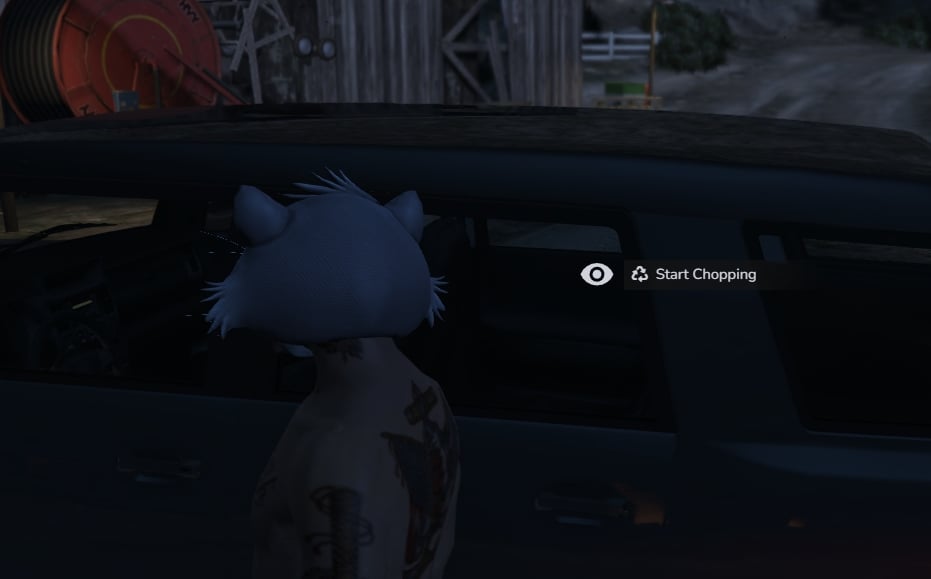 After successfully obtaining the vehicle, you'll need to take it to the Chop Shop location marked for the job.
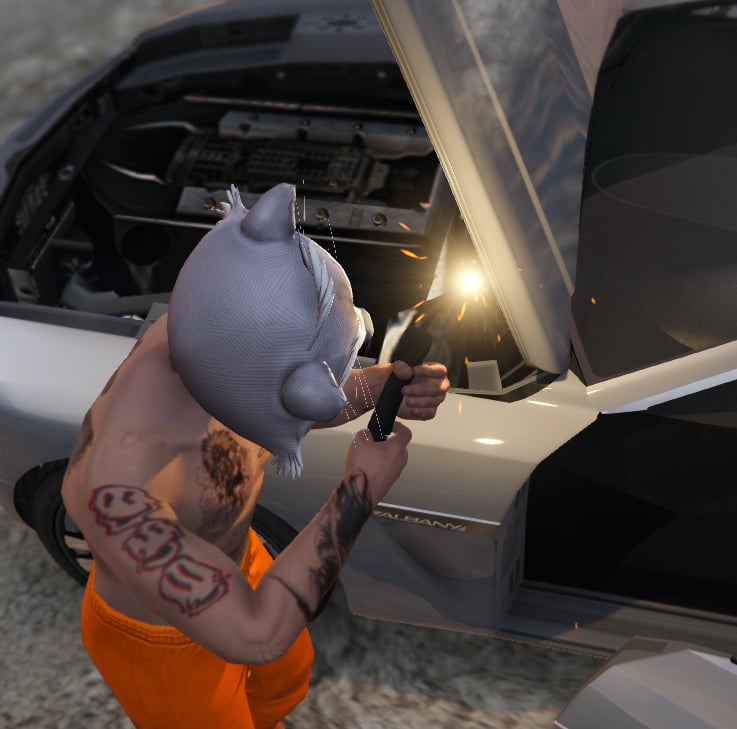 ***
# Chop the Vehicle
Once the requested vehicle reaches the proper location, the real work begins.
Use your tools to dismantle the vehicle and complete the job.
Use a Lockpick if necessary to gain entry to the requested vehicle.
Bring the correct vehicle to the Chop Shop location provided by the job.
Use your tools to dismantle the vehicle and earn Auto Parts.
Once the vehicle has been successfully dismantled, you'll receive your reward.
***
# Keep Chopping or Call It
After completing a job, you don't necessarily need to return and start everything over from scratch.
You can decide whether you want to:
* Continue working
* Request another vehicle
* Keep building Auto Parts
* Stop running Chop Shop jobs
***
# Chop the Vehicle
Once the requested vehicle reaches the proper location, the real work begins.
Use your tools to dismantle the vehicle and complete the job.
Use a Lockpick if necessary to gain entry to the requested vehicle.
Bring the correct vehicle to the Chop Shop location provided by the job.
Use your tools to dismantle the vehicle and earn Auto Parts.
Once the vehicle has been successfully dismantled, you'll receive your reward.
***
# Keep Chopping or Call It
After completing a job, you don't necessarily need to return and start everything over from scratch.
You can decide whether you want to:
* Continue working
* Request another vehicle
* Keep building Auto Parts
* Stop running Chop Shop jobs
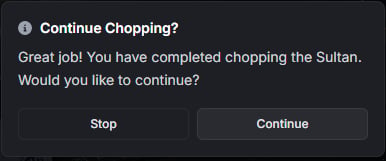 If you're finished chopping for the day, use the option to properly **stop the missions** rather than simply abandoning the current loop.
***
# Track Your Progress
The Chop Shop menu isn't only used to request vehicles.
It also allows you to keep track of your activity.
Depending on the available information, you can review things such as:
* Current jobs
* Progress
* Statistics
* Auto Parts
* Available rewards
* Other Chop Shop information
### Keep an Eye on Your Progress
The menu is your main hub for understanding how much chopping you've done and what opportunities are currently available.
***
# Quick Reference
| **Feature** | **Information** |
| ----------------------------------- | ------------------------------- |
| **Primary Contact** | Chop Man |
| **General Location** | Sandy Shores |
| **Required Tools** | Lockpick, Lug Wrench, Blowtorch |
| **Primary Reward** | Auto Parts |
| **Auto Parts Weight** | 0 |
| **Target Selection** | Requested Vehicle Model |
| **Exact Vehicle Location Provided** | No |
| **Vehicle Finder Available** | Yes |
| **Reward Inventory** | Random / Rotating |
| **Personal Vehicles Eligible** | Yes |
| **Job Continuation** | Continue or Stop |
If you're finished chopping for the day, use the option to properly **stop the missions** rather than simply abandoning the current loop.
***
# Track Your Progress
The Chop Shop menu isn't only used to request vehicles.
It also allows you to keep track of your activity.
Depending on the available information, you can review things such as:
* Current jobs
* Progress
* Statistics
* Auto Parts
* Available rewards
* Other Chop Shop information
### Keep an Eye on Your Progress
The menu is your main hub for understanding how much chopping you've done and what opportunities are currently available.
***
# Quick Reference
| **Feature** | **Information** |
| ----------------------------------- | ------------------------------- |
| **Primary Contact** | Chop Man |
| **General Location** | Sandy Shores |
| **Required Tools** | Lockpick, Lug Wrench, Blowtorch |
| **Primary Reward** | Auto Parts |
| **Auto Parts Weight** | 0 |
| **Target Selection** | Requested Vehicle Model |
| **Exact Vehicle Location Provided** | No |
| **Vehicle Finder Available** | Yes |
| **Reward Inventory** | Random / Rotating |
| **Personal Vehicles Eligible** | Yes |
| **Job Continuation** | Continue or Stop |